ViewTube

ViewTube
Sign inSign upSubscriptions
Filters

Upload date

Type

Duration

Sort by

Features

Reset

876 results

Soft COM
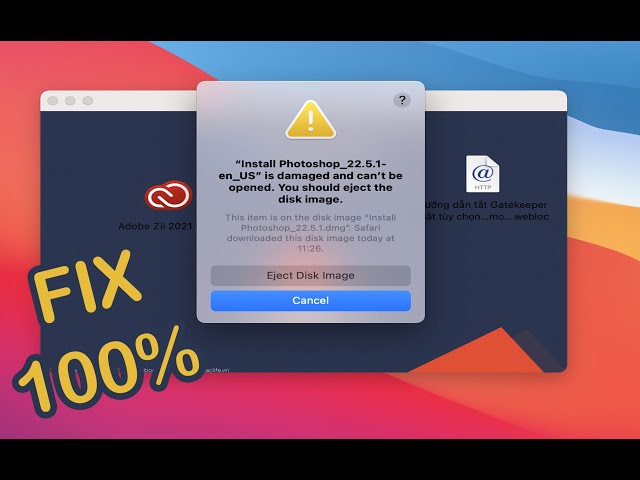
” is damaged and can’t be opened. You should eject the disk image. Fix it in 1 Minute 100%

Terminal Code : xattr -cr How to fix ” is damaged and can't be opened. You should eject the disk image.

1:26
” is damaged and can’t be opened. You should eject the disk image. Fix it in 1 Minute 100%

26,932 views

3 years ago

Meyqool
How to eject a drive on Mac OS when "one or more programs may be using it" but it's not true

EDIT 2025 : It is possible that with each new iteration of Apple's OS updates, new bugs are being added, rendering this trick less ...

0:19
How to eject a drive on Mac OS when "one or more programs may be using it" but it's not true

14,427 views

2 years ago

Ademola Tella
How to Fix "App is damaged and can’t be opened. You should move it to the Trash Error" on Mac.

How to Fix "App is damaged and can't be opened. You should move it to the Trash Error" on Mac.

3:37
How to Fix "App is damaged and can’t be opened. You should move it to the Trash Error" on Mac.

36,561 views

2 years ago

Simplified Technology
How to FIX “is damaged and can’t be opened. You should move it to the Trash” Error on Mac

First command: sudo spctl --master-disable Second command: xattr -cr Intro: 00:00 How to fix error (First step): 00:13 How to fix ...

1:20
How to FIX “is damaged and can’t be opened. You should move it to the Trash” Error on Mac

133,071 views

2 years ago

Krause Media
How to FIX “is damaged and can’t be opened. You should move it to the Trash” (2026 UPDATED TUTORIAL)

If you're getting the "App is Damaged and cant be opened - move to bin" error on your Mac, don't worry! In this updated tutorial, ...

1:13
How to FIX “is damaged and can’t be opened. You should move it to the Trash” (2026 UPDATED TUTORIAL)

12,920 views

1 year ago

Leah George
Cannot Open .dmg Files on Mac (No Mountable file systems)? Here is Solution

You cannot open disk image file (.dmg) on your Mac and get the “no mountable file systems” error message? Don't worry!

0:50
Cannot Open .dmg Files on Mac (No Mountable file systems)? Here is Solution

110,942 views

6 years ago

Thart Work
How to fix Install is damaged and can't be opened You should eject the disk image on MacBook | work

[Solution] Open install is damaged and cannot be opened, you should eject the disk. Solution 1. Open the terminal, enter " sudo ...

1:46
How to fix Install is damaged and can't be opened You should eject the disk image on MacBook | work

1,020 views

1 year ago

Andrew Tsai's Tips
How To Open App Error "is damaged and can't be opened" Using xattr Commmand

Command in Terminal: xattr -cr This applies to the error message 'app' is damaged and can't be opened. You should move it to ...

1:09
How To Open App Error "is damaged and can't be opened" Using xattr Commmand

126,813 views

4 years ago

Mac And PC - Prime Video
How to Fix "App is damaged and can’t be opened. You should move it to the Trash Error" on Mac 2924

How to Fix "App is damaged and can't be opened. You should move it to the Trash Error" on Mac adobe, type in the letters : sudo ...

1:50
How to Fix "App is damaged and can’t be opened. You should move it to the Trash Error" on Mac 2924

46,255 views

1 year ago

Wlastmaks
Disk Not Ejected Properly On macOS

Download and install Beer interceptor: https://apps.apple.com/us/app/beer-interceptor/id6749782229 Disk Not Ejected Properly ...

0:22
Disk Not Ejected Properly On macOS

4,523 views

1 year ago

Apple Guide Web
How to Eject a Drive on macOS #short

So, click the Finder icon on the dock to open a Finder window and scroll down to the "Locations" group on the sidebar. Now, find ...

0:22
How to Eject a Drive on macOS #short

21,498 views

3 years ago

Worth it Repairs
Data Recovery and fix corrupted hard drive with my bootable flash drive. #repair #apple #macbook

... will get logged in and we will back up everything from the corrupted hard drive and we'll erase it and then we will install Mojave.

0:16
Data Recovery and fix corrupted hard drive with my bootable flash drive. #repair #apple #macbook

161,875 views

2 years ago

howtomac9319
How to Unmount and Remount Hard Drives Without Unplugging on a Mac

This video will show you how to unmount and remount a hard drive, hard disk, flash drive, etc. without physically unplugging the ...

0:40
How to Unmount and Remount Hard Drives Without Unplugging on a Mac

19,974 views

5 years ago

Creative Video Tips
Mac Hiding Hard Drive Fix

The Best Stock Video - https://bit.ly/cvt-Artgrid My Favorite Music - https://bit.ly/cvt-artlist Resolve GFX Templates ...

0:20
Mac Hiding Hard Drive Fix

176,815 views

2 years ago

One2Tech
How to Open Damaged App Error on Mac ⚡ | “Application Is Damaged and Can’t Be Opened” Fix

Getting this error on your Mac? “Application is damaged and can't be opened. You should move it to the bin.” Don't worry!

1:11
How to Open Damaged App Error on Mac ⚡ | “Application Is Damaged and Can’t Be Opened” Fix

519 views

2 months ago

Tech & Design
Failed to Eject “USB or Hard Drive” because it is currently in use - FIX - macOS Catalina

Currently in Use error message fix on macOS Catalina.

2:57
Failed to Eject “USB or Hard Drive” because it is currently in use - FIX - macOS Catalina

1,836 views

5 years ago

Loxyo Tech
How to Fix Resource Busy Error in macOS | Loxyo Tech

In this video, I will show you how to fix the resource busy error while trying to open some of the DMG files in macOS. "resource ...

2:09
How to Fix Resource Busy Error in macOS | Loxyo Tech

6,302 views

2 years ago

swapnil rudram vibhuti
Mac Won’t Let You Eject a Disk? Here’s What to Do | How to Properly Eject Disc on MacBook?

Can't eject your external drive on Mac? Getting the “Disk wasn't ejected because one or more programs may be using it” error?

0:31
Mac Won’t Let You Eject a Disk? Here’s What to Do | How to Properly Eject Disc on MacBook?

4,256 views

3 months ago

kaboratech
How to Fix App “is damaged and can’t be opened. You should move it to the Trash” Error on Mac

Instructions : First : Disable the Security “sudo spctl --master-disable” without quotes Second - Terminal code : xattr -cr( Space) ...

1:56
How to Fix App “is damaged and can’t be opened. You should move it to the Trash” Error on Mac

230,908 views

3 years ago

Be App Savvy
How Do I Properly Eject A DMG File On Mac? - Be App Savvy

How Do I Properly Eject A DMG File On Mac? Are you unsure how to safely remove a DMG file from your Mac after installing an ...

2:45
How Do I Properly Eject A DMG File On Mac? - Be App Savvy

123 views

2 months ago